Developed by mobile and web studio QKY Games, the title adapted tap-to-bounce mechanics popularized by casual endless runners into a fast-paced basketball scoring gauntlet.
Tap Tap Shots turns one button into a full basketball challenge: every tap launches a bouncing ball upward, and a yellow timer is always running out. You have no jump meter and no aim line. You have your timing and a hoop that keeps jumping to new spots. QKY Games built this arcade sports game around quick decisions and clean arcs.
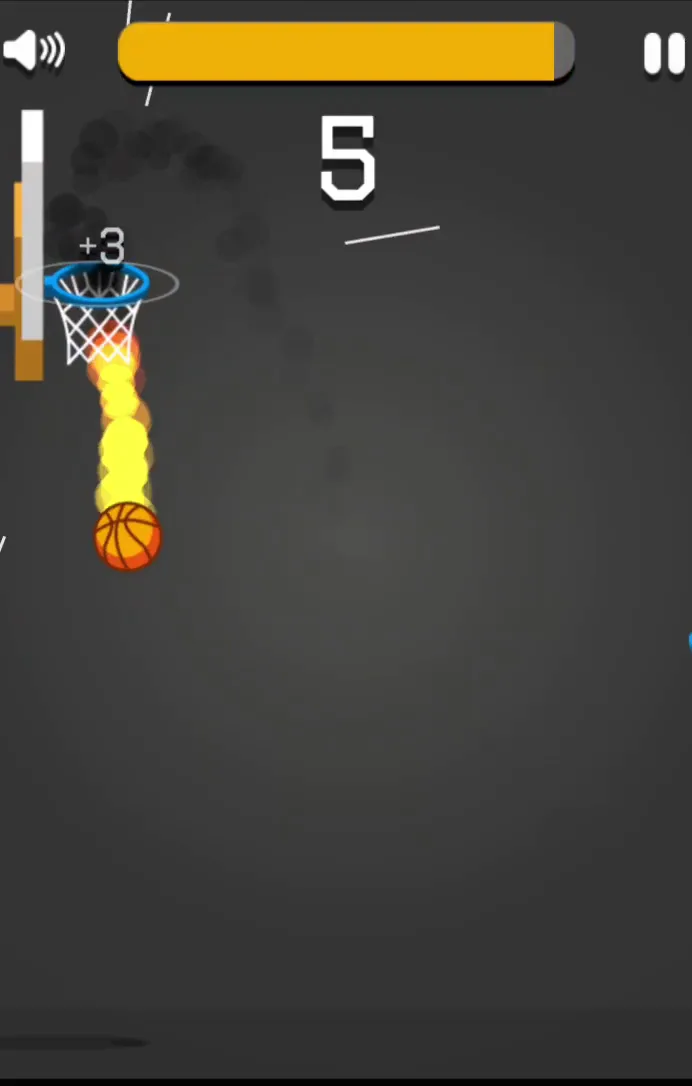
Each basket resets the clock and lights up your run. Each miss costs seconds you cannot get back. The ball catches fire when your shots start falling, which tells you the streak is alive.
Ready to test your touch? Start playing Tap Tap Shots now and see how long you can keep the clock full.
Mastering Tap Tap Shots Timing and Elevation
Managing Upward Momentum
Every tap gives the basketball a push upward. Gravity then pulls it back down fast, so the ball never floats. You are always working against the fall, and that is the whole game in one sentence.
Think of each tap as a small budget of height. Tap too often and the ball shoots past the backboard, which wastes time while it drops back. Tap too little and it never clears the rim. Neither mistake ends your run on the spot, but both drain the yellow bar.
The fix is rhythm. Pick a steady tap pace the moment the ball spawns, then adjust from there instead of hammering the button at random. On PC you can use Arrow Up, W, or Space Bar. On a phone or tablet you simply tap the screen. Space Bar is the best pick on a keyboard, because the same key also restarts a failed run. Your hand stays put, and your timing stays sharp.
Reading Alternating Rim Heights
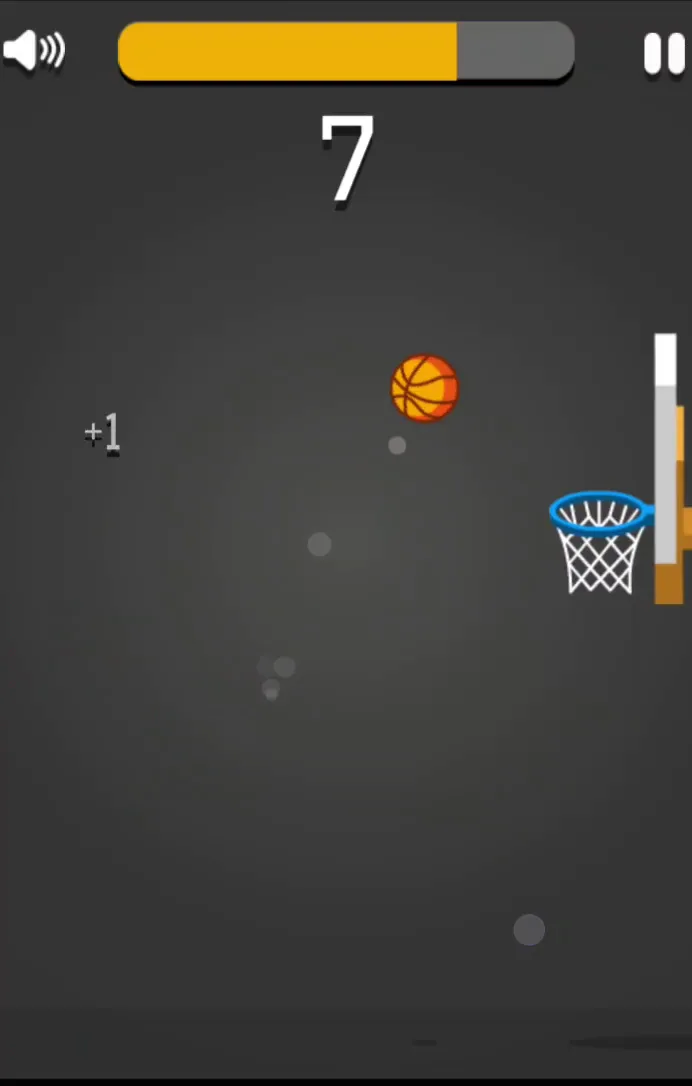
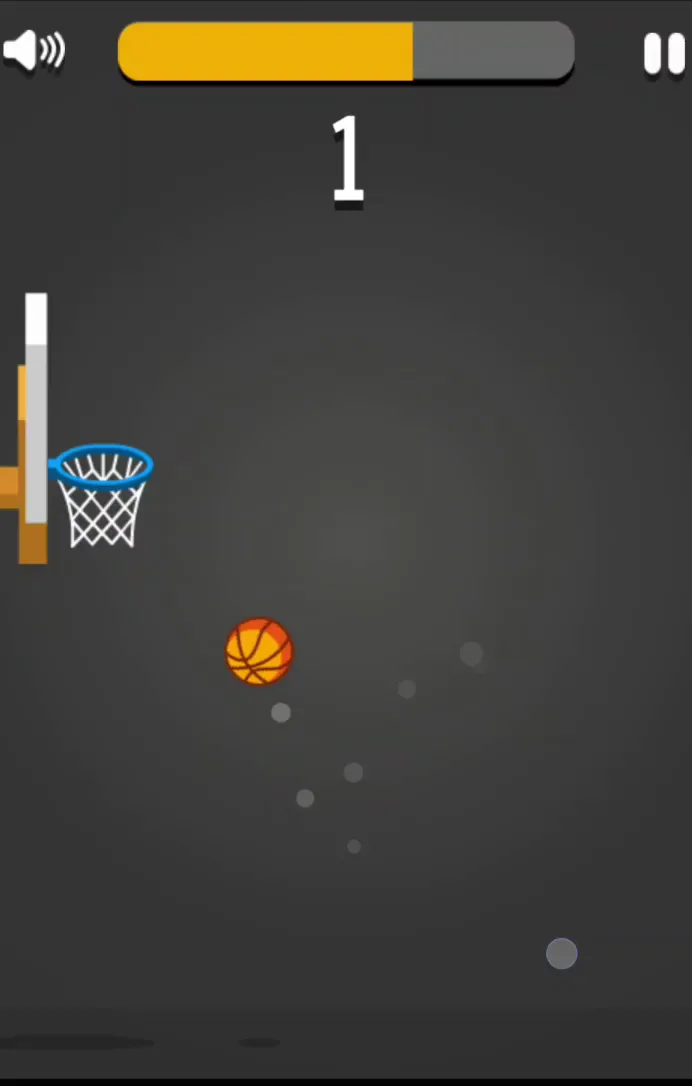
The hoop switches sides after every basket, and it rarely sits at the same height twice. Some rims hang low near the floor. Others float near the top of the screen.
Check the new height before you tap. A fast double tap gives you the lift for a high rim. A gentle single tap keeps the arc flat for a low one. Look first, then move. Players who tap on instinct usually overshoot the low nets and undershoot the high ones.
How the Scoring System and Shot Clock Work
Beating the Yellow Timer
The Countdown Shot Meter is the real opponent. A yellow bar drains at the top of the court, and it only refills when you sink a basket. If it hits zero before the ball goes through the net, your run is over.
That pressure changes how you play. You can bounce the ball around to line up an angle, and the game allows it. But every second of lining up is a second off the bar. Passive play loses to the clock.
Treat the bar as a budget, not a warning light. A clean, quick shot early leaves you room to recover from a bad bounce later. A slow, careful shot every time slowly starves you. Rim misses can still be saved if you keep tapping and guide the ball back toward the hoop before the bar empties. Stay calm, stay moving, and keep the ball near the net.
Consecutive Baskets and Fire Effects
Each basket adds to your score, and back-to-back makes build a streak. When the shots keep dropping, the ball ignites in flames. This Fire Ball Streak is more than decoration. It tells you at a glance that your rhythm is working, so lock in and repeat what you just did.
Want more hoops once you finish a run? Try Basket Random or browse more Sports games. Or just try Tap Tap Shots right here for another round.
Essential Strategies for Tap Tap Shots
Controlling Bounce Arcs
Steady taps beat frantic ones. Find a pace in the first second after the ball appears, and keep it. Erratic clicking makes the ball hard to predict, and a ball you cannot predict is a ball you cannot score with.
Watch the sideways drift too. The ball moves toward the opposite side of the court, so plan for where it will be, not where it is now. Aim to hit the top of your arc directly above the rim opening. From there the ball drops almost straight down and slips through the net with little rim contact.
A good habit: tap, then pause and read the fall before your next input. Short pauses give you control. Constant tapping takes it away.
Using the Backboard Wisely
The backboard is a handy safety cushion when your angle is rough. Banking the ball off it soaks up extra sideways speed, and the ball tends to fall straight down into the hoop afterward.
Do not lean on it for every shot. Steep angles can kick the ball back out. Use the board when you are close and slightly off, and go for a clean arc when you have the space.
Handling Failure States and Restarts
Run Elimination Conditions
Only one thing ends a run: the timer reaching zero. Dropping the ball to the floor does not count as a loss. The ball keeps bouncing along the bottom as long as the bar has time left.
That sounds forgiving, but it is not. Recovering from a low ball eats fractions of a second, and those fractions add up fast. When the bar finally empties, the game over screen appears with your final tally. Use that number as your target for the next attempt.
Fast Space Bar Recovery
On PC, Space Bar restarts a failed run instantly. You do not need to reach for the mouse or click through a menu. Tap it again and a fresh attempt starts right away.
This quick reset is great for practice. Short back-to-back runs build muscle memory far faster than long breaks between tries.
Platform Support and Technical Performance
Construct Engine Browser Delivery
Tap Tap Shots runs on HTML5 and the Construct engine, so it opens directly in the browser. The 2D physics are light, and modern desktop browsers handle them with low delay between your input and the bounce.
Input is simple. On a keyboard you can use Space Bar, Arrow Up, or W. With a mouse, the Left Mouse Button does the job. One input is all the game asks for, and that keeps the controls precise.
Cross-Device Playability
The game plays the same on desktop screens, Chromebooks, and phones. On a touchscreen, a finger tap works as the bounce. QKY Games also lists a mobile edition on Google Play under the subtitle Fire Dunk Hit. Whatever you play on, the core ball physics and timer stay the same.
Want another tap-and-shoot challenge? Check out Basketball Bros next.
Shares the basketball theme and simple one-button timing mechanic, though Basket Random pits ragdoll players against an opponent instead of an endless solo hoop score chase.
Shares the simple one-tap timing mechanic and quick-restart score chasing loop, but applies it to launching a golf ball for maximum distance instead of sinking basketballs.
🎯 Fun Facts About Tap Tap Shots
On Google Play, the official mobile edition carries the subtitle Fire Dunk Hit.
✨ Key Features of Tap Tap Shots
Endless basketball shooting action with shifting hoop heights
Depleting countdown timer requiring fast shot execution
Simple single-tap vertical elevation mechanics
Fiery visual ball effect on successful scoring streaks
Instant round restarts using the PC Space Bar
How to Play Tap Tap Shots
Step 1: Launch the Ball
Press the Space Bar, Left Mouse Button, or tap the screen to give the basketball its first upward bounce.
Step 2: Track the Target Hoop
Locate the basket on the opposite side of the court and observe its height elevation.
Step 3: Time Consecutive Bounces
Tap rhythmically to keep the ball climbing toward an arc positioned cleanly above the rim.
Step 4: Beat the Shot Clock
Sink the ball through the net before the yellow timer bar at the top of the screen fully depletes.
Step 5: Restart Instantly Upon Expiration
Press the Space Bar immediately after the timer expires to jump straight into a new scoring run.
Tap Tap Shots FAQs
What are the basic controls for Tap Tap Shots?
Browser keyboard: Arrow Up — bounce the basketball upward; Space Bar — bounce the basketball upward or restart; W Key — bounce the basketball upward. Browser mouse: Left Mouse Button — bounce the basketball upward or restart. Mobile: Tap — bounce the basketball upward or restart.
Can I play Tap Tap Shots on mobile devices?
Yes. Tap Tap Shots runs in your phone or tablet browser, and it has touch controls. There is also a mobile app.
Do I need to download Tap Tap Shots?
No. Tap Tap Shots runs in your browser on this page, with nothing to download or install.
How do you lose a game in Tap Tap Shots?
A run ends whenever the yellow shot countdown timer reaches zero before you sink a basket. Bouncing off the rim or floor does not end the run as long as time remains.
Does the basketball catch fire in Tap Tap Shots?
Yes, scoring baskets successfully activates a visual fire effect on the ball. Maintaining your streak keeps the flame alive while you chase higher scores.
Tap Tap Shots is an arcade basketball game from QKY Games that rewards quick thinking and steady timing. The yellow shot meter at the top of the court drains constantly, so every hoop becomes a small race against the clock. There is no room for passive bouncing here, and that pressure keeps each run tense and exciting.
Landing consecutive baskets sets the ball on fire, giving you instant visual feedback as your streak grows in an endless run. Controls are refreshingly simple: tap, click, or press Space, W, or Arrow Up to bounce the ball upward. It works on browser, mobile, and desktop alike.
Tap Tap Shots Game Image
Game Controls
Arrow Up
Bounce the basketball upward
Space Bar
Bounce the basketball upward or restart
W Key
Bounce the basketball upward
Left Mouse Button
Bounce the basketball upward or restart
Tap
Bounce the basketball upward or restart
No comments yet. Be the first to share your thoughts!



No comments yet. Be the first to share your thoughts!